Watch your year
light up.
The habit tracker where every day you show up becomes a glowing square. Miss one and it stays dark.
Free to start · No account · iPhone & Android
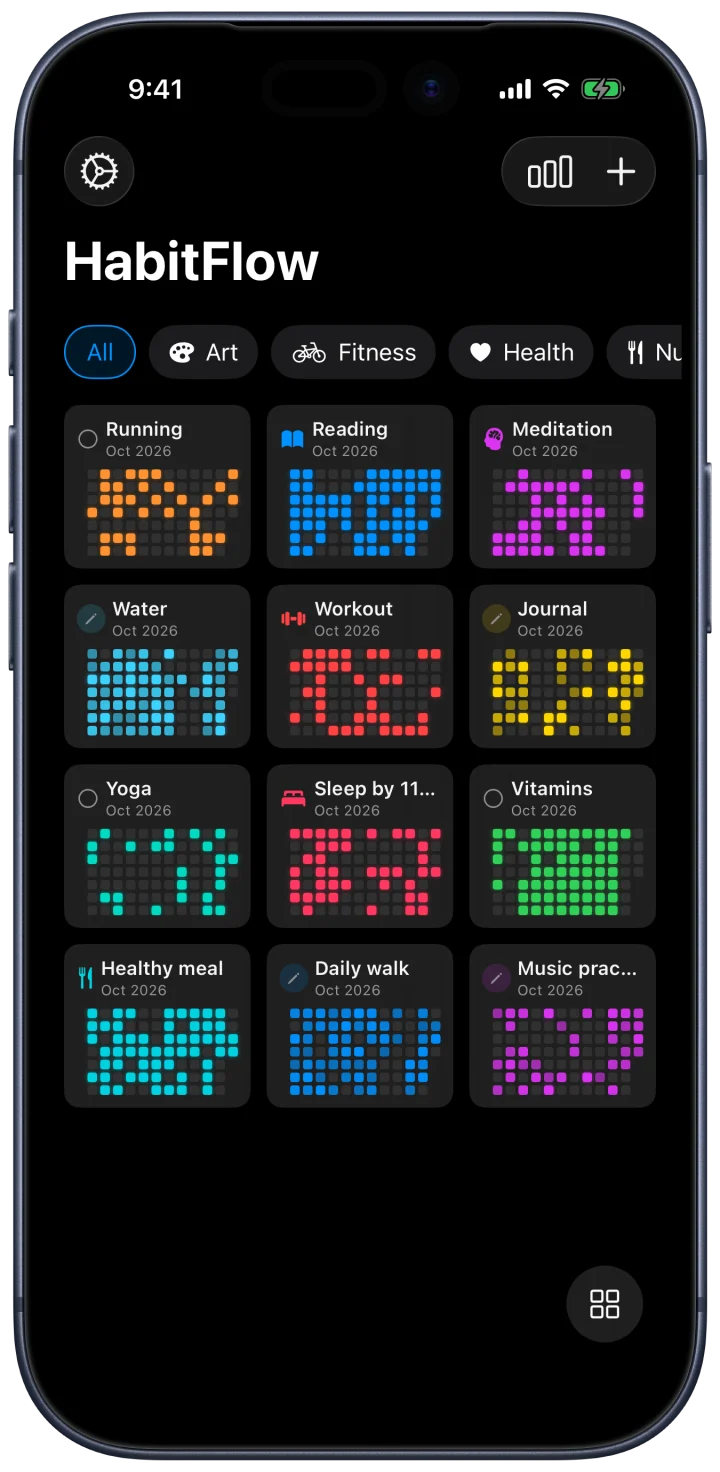
One tap logs the day. The square lights up. Do it again tomorrow, and the next day, and your year starts to glow.
Three ways to see your day.
Switch with one tap. Same habits, same history, whichever way you like to look.
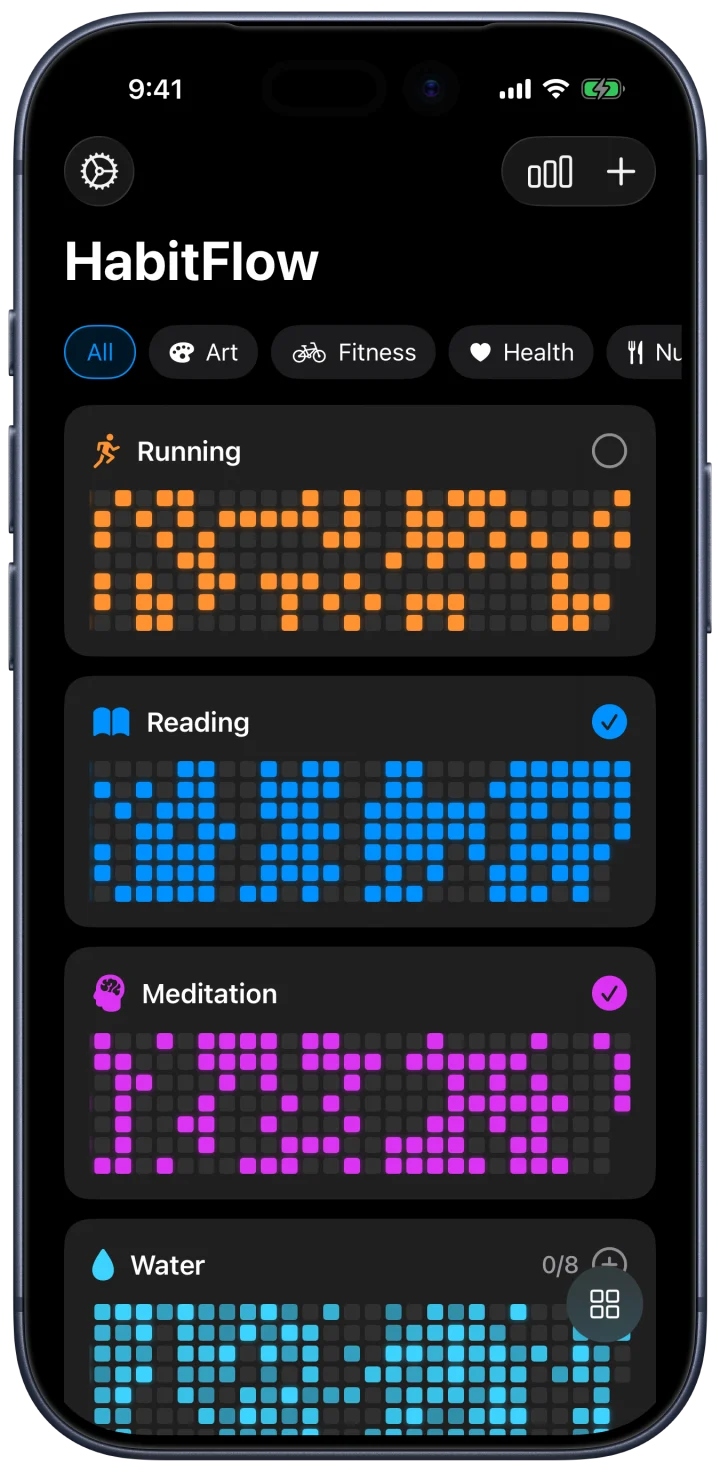
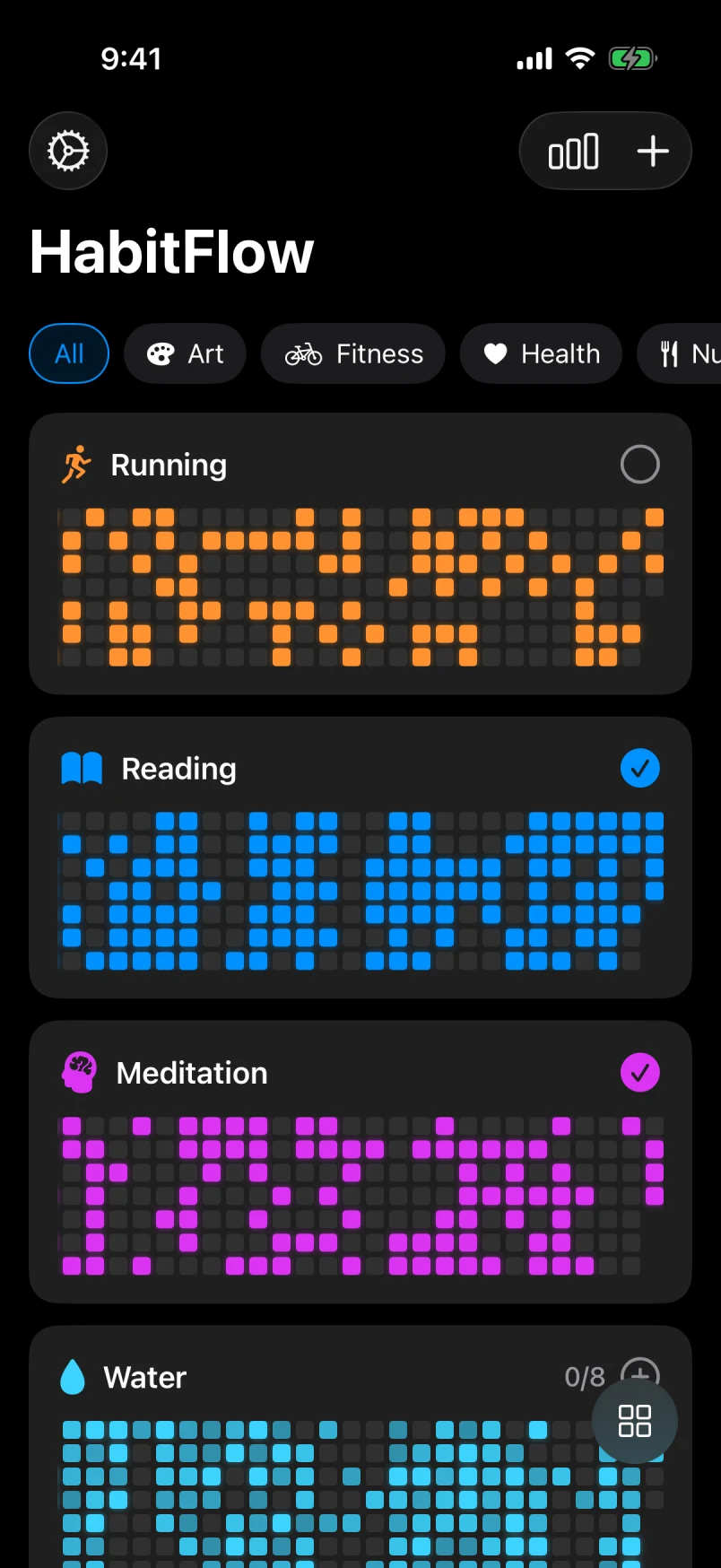
Detailed view
Every habit, with its history.
Each habit gets a card with weeks of squares behind it, so a glance tells you how the month is really going.
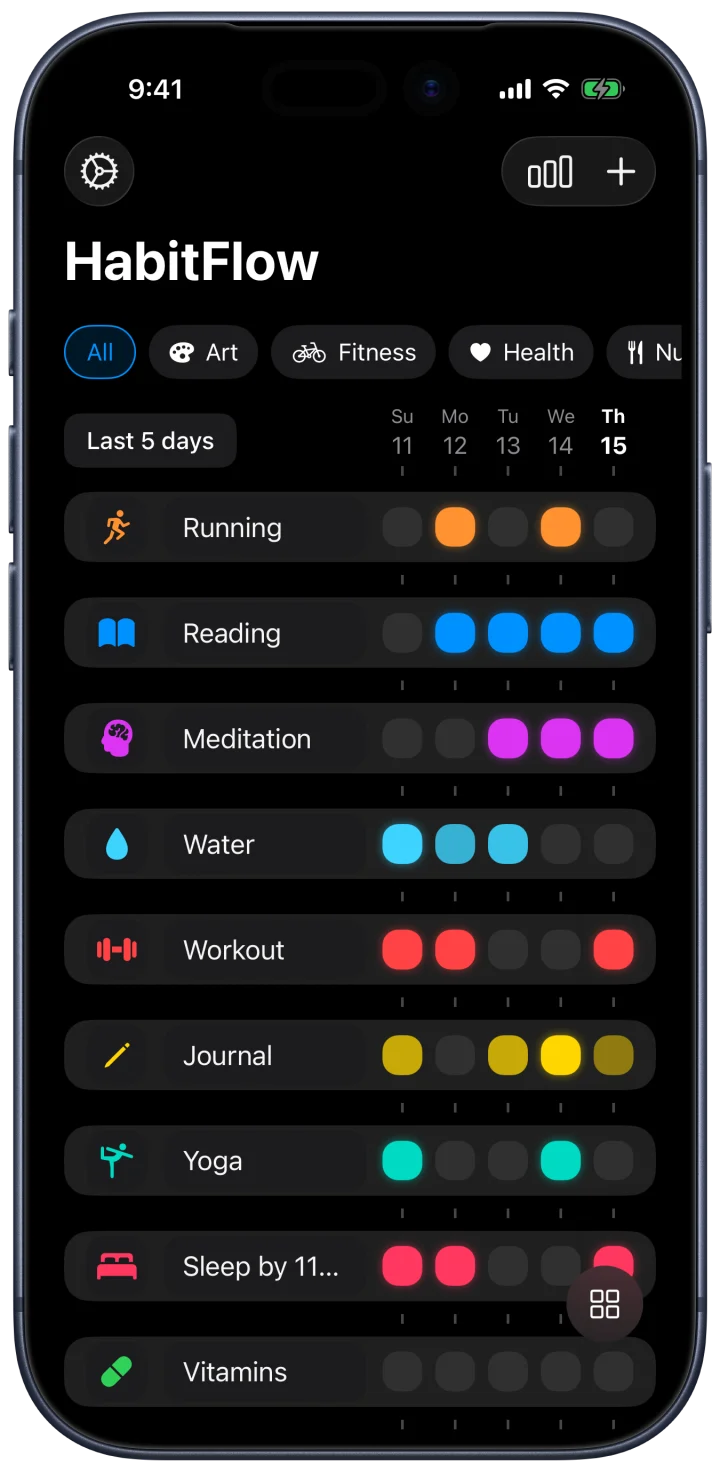
Checklist view
Check in, in seconds.
One row per habit across your last five days. The fastest way to tick off today and see what you missed.
Grids view
All of it, on one screen.
Every habit side by side, each with its month in squares. Twelve habits, one look.
Small app.
Built for the long run.
See what's sticking.
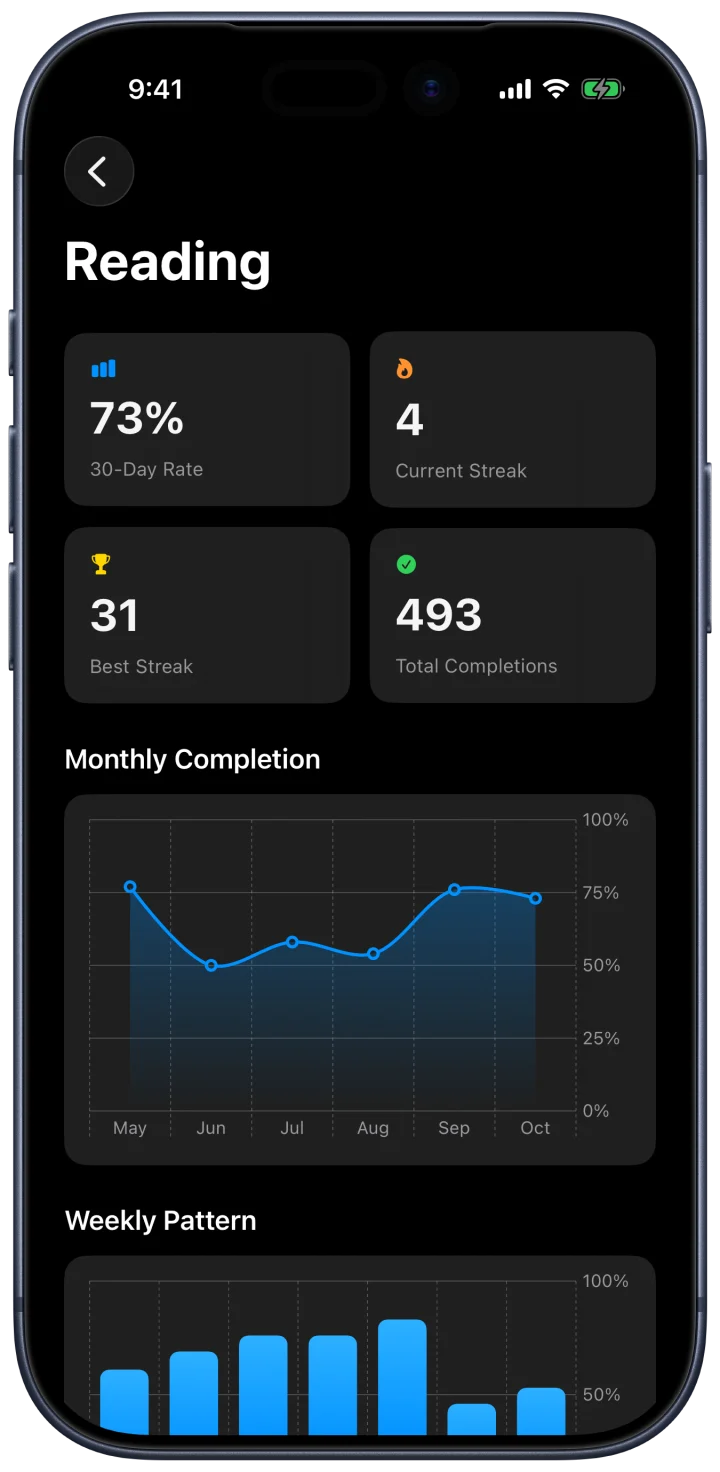
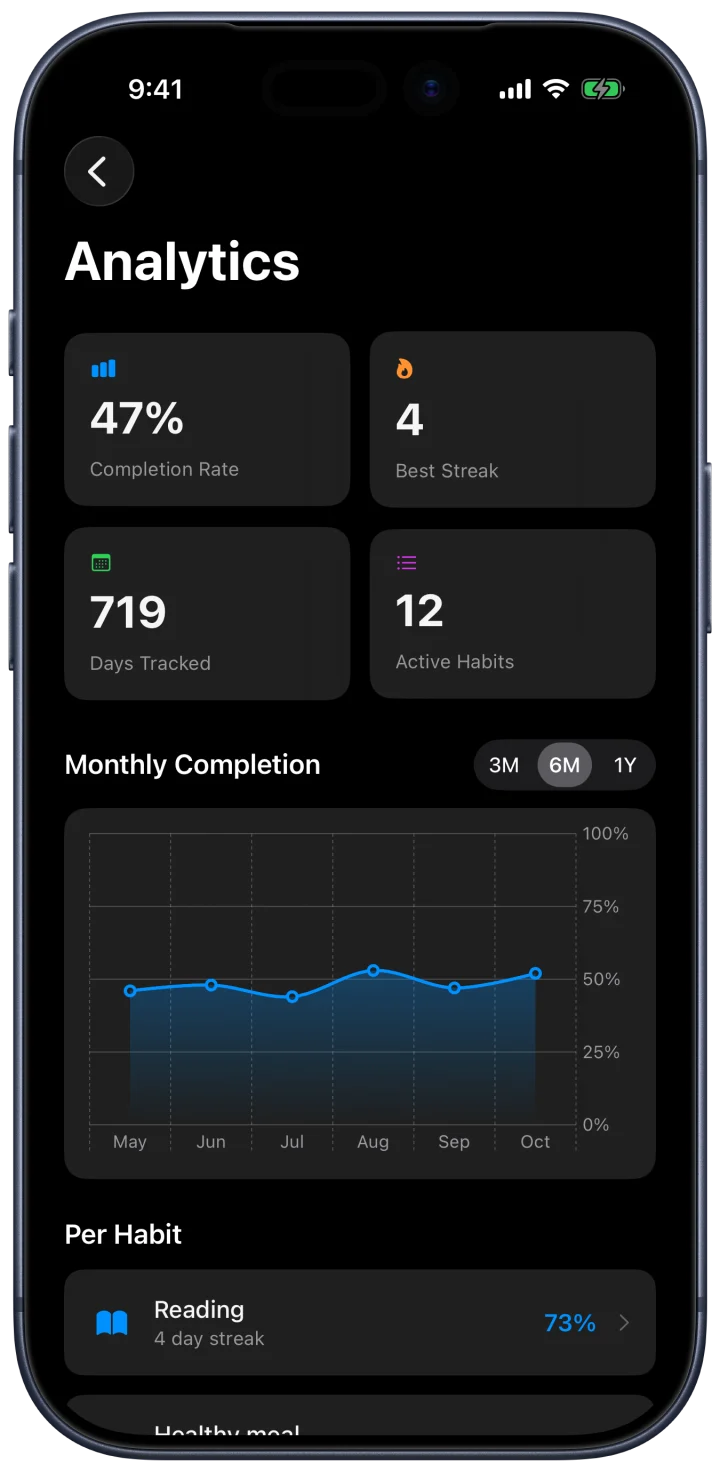
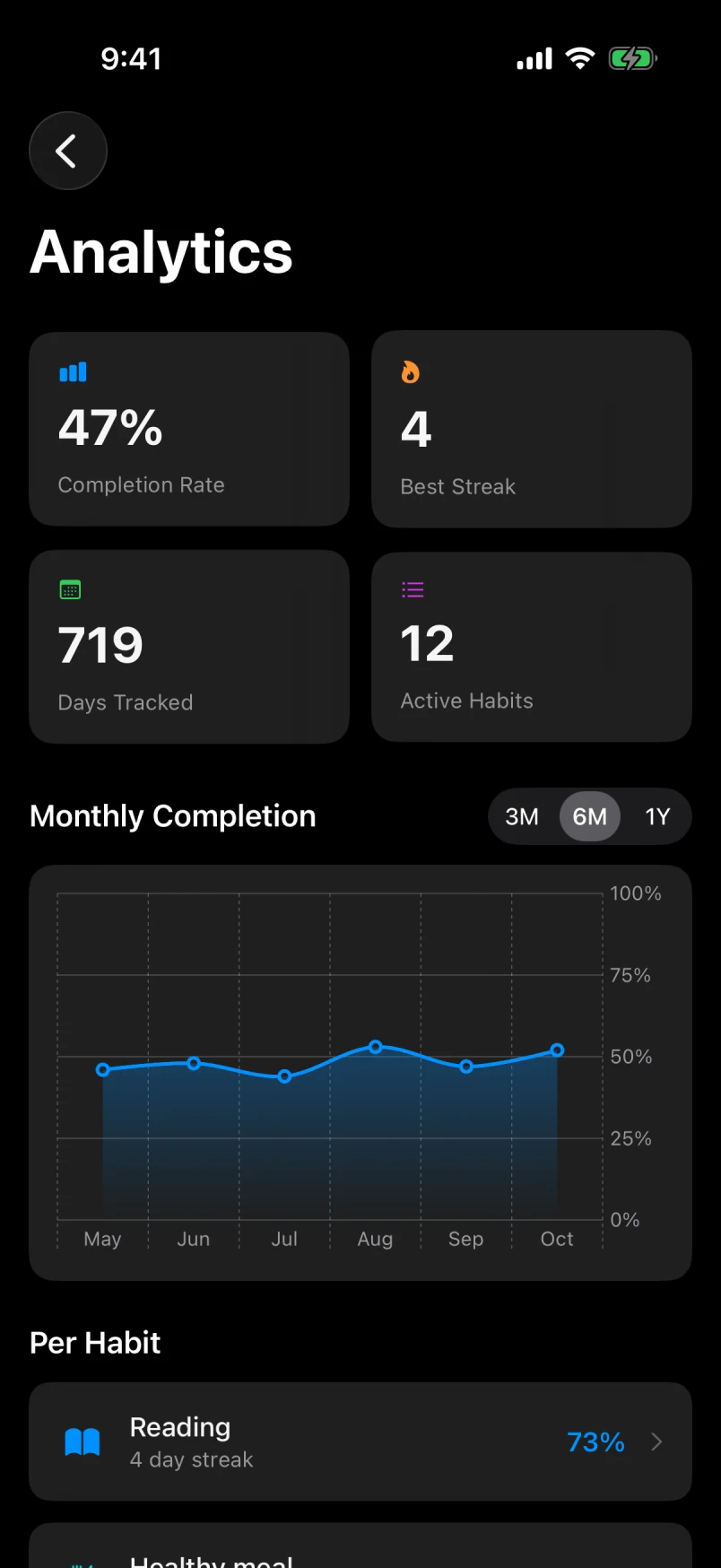
Your completion rate, best streak and a month-by-month chart across every habit. Switch between 3, 6 and 12 months.
completion rate in this example
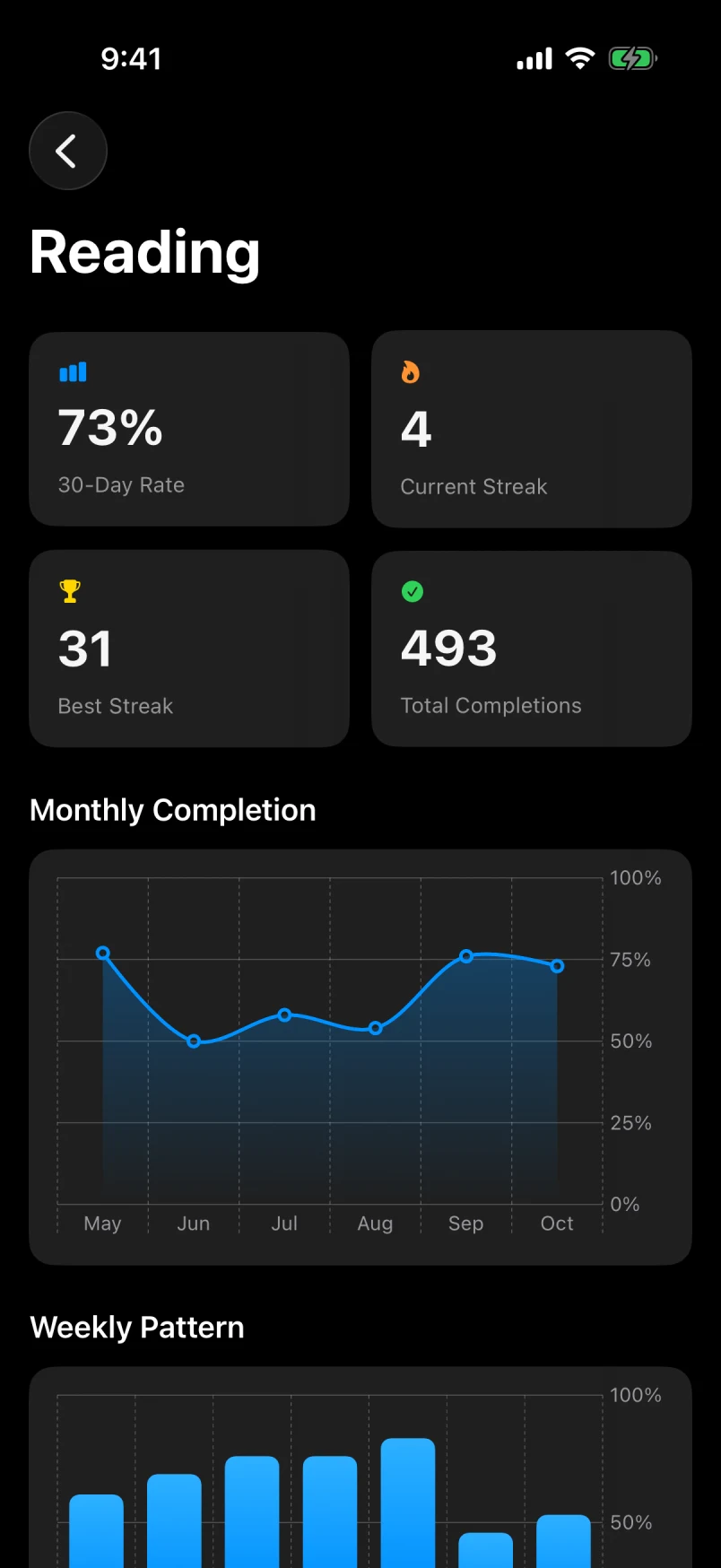
Every habit keeps a record.
30-day rate, current and best streak, total check-ins.
day best streak, Reading
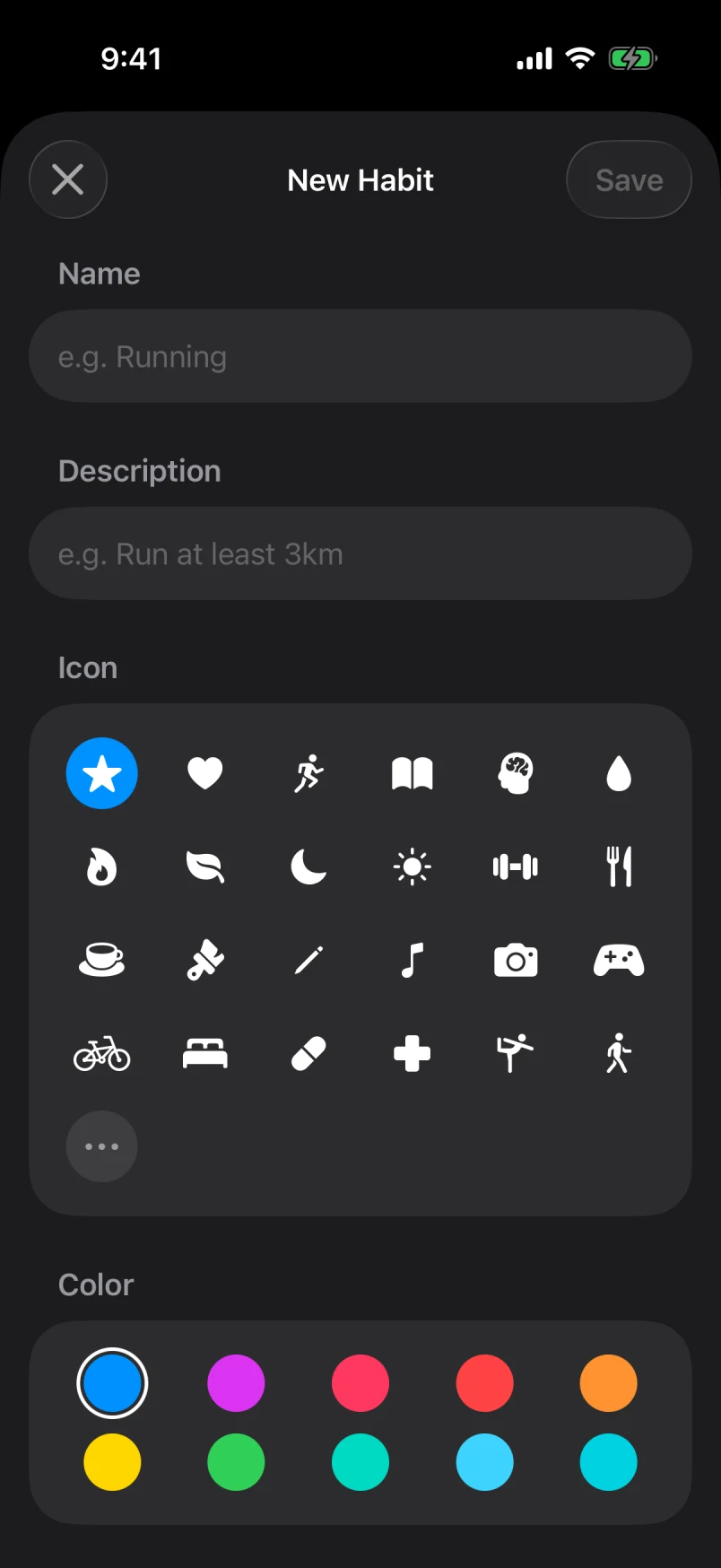
Make it yours.
An icon and a colour for every habit.
Count anything.
Glasses of water, pages, sets. Set a daily target and tap once for each.
glasses of water so far today
Sort by what matters.
Group habits into categories and filter with a tap.
No account.
Open the app and add a habit. There's nothing to sign up for.
Lives on your phone.
Your habits are saved on your device, not in a cloud profile.
Home Screen widgets.
Check off a habit without opening the app, on iPhone and Android.
Start free.
Go Pro when you're ready.
HabitFlow
Free
Everything you need to start.
- Up to 3 habits
- Detailed, Checklist and Grids views
- Streaks and history grids
- 1 reminder
- Export your data
HabitFlow Pro
Subscription
For when one habit becomes ten.
- Unlimited habits
- Analytics and charts
- More reminders
- Import your data
- Appearance options
- Restore archived habits
Features as in the iPhone app. Pro is billed through the App Store or Google Play, and you can cancel anytime in your store settings.
Questions.
Is HabitFlow free?
Yes. HabitFlow is free to download and use with up to 3 habits. HabitFlow Pro is a subscription that adds unlimited habits, analytics and charts, more reminders and a few other extras.
Do I need an account?
No. Open the app and add your first habit. There's no sign-up.
Where are my habits stored?
On your phone. There's no account, so your habits aren't tied to a login or a cloud profile.
Can I move my habits to a new phone?
Yes. Export your habits as a file from Settings on the old phone, then import it in HabitFlow on the new one. Importing is part of Pro.
Does it work offline?
Yes. Checking off habits, streaks and charts all work without a connection.